
Desktop Survivors 98 Review – Bullet Hell Meets Your Desktop
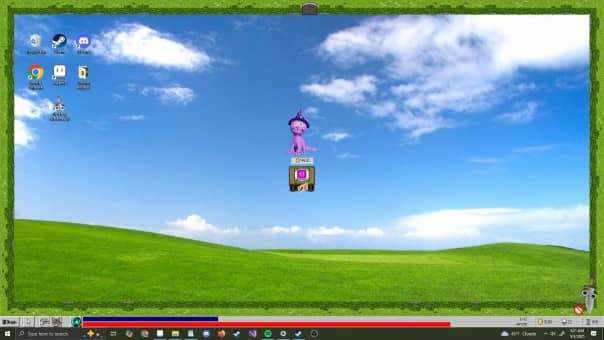
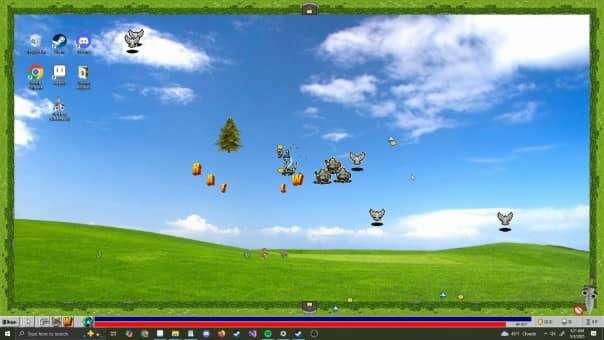
Desktop Survivors’ 98 throws players into a chaotic roguelite dungeon crawler where survival depends on quick reflexes and precision. With waves of relentless enemies and a bullet hell frenzy unfolding directly on your desktop, this game transforms your cursor into the ultimate hero. Whether you’re dodging attacks, upgrading weapons, or diving into nostalgic pixelated chaos, every click counts in this fast-paced adventure.
Desktop Survivors 98 Review Pros
- Amazing graphics.
- 499.15MB download size.
- Steam achievements.
- Own in-game achievements.
- Full controller support.
- Two boot-up options – desktop and Console mode, which supports Steam Deck and Big Picture mode.
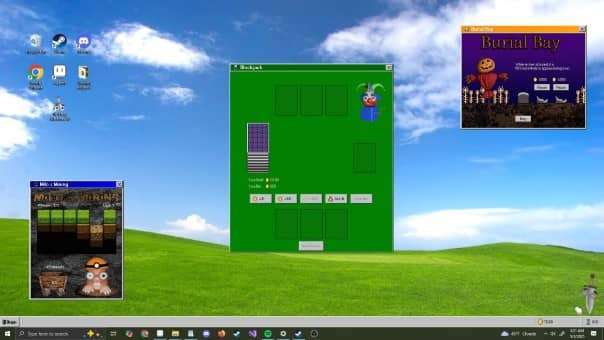
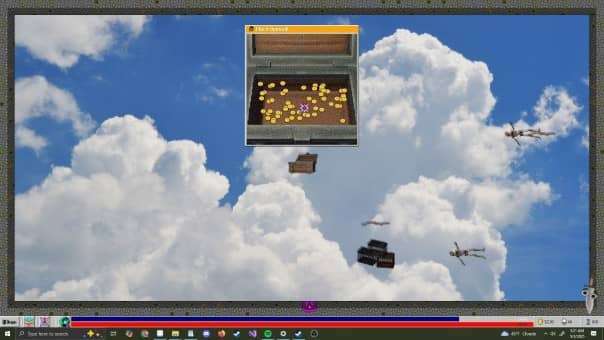
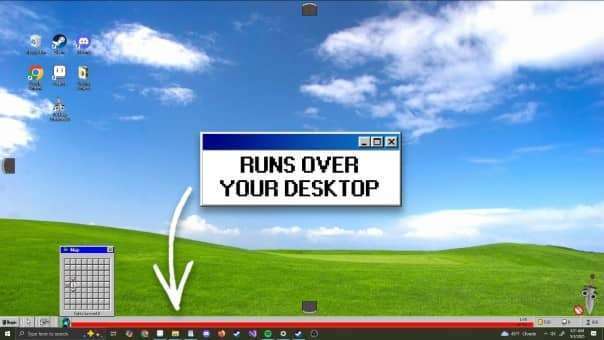
- Has a full Windows 8 interface from the start button to the loading screens, to the folders and the layout, and even has classic-inspired screen savers!
- GUI scale slider.
- Visual settings – damage numbers value, enemy outlines, keep system cursor, dungeon borders, flashing screen effects, shake effects, and auto-close menus.
- Controller and mouse sensitivity slider.
- Use Wallpaper Manager to swap out the desktop background.
- The attention to detail is insane and is a real nostalgic trip.
- Discoveries will fill in on the menu as you, um, find them.
- Unlock and select mouse cursor styles. Each cursor has its own set of unique stats like health, damage dealt, etc.
- End of run breakdown showing time survived, gold earned level reached, enemies defeated, and a brief description of the weapons you used and how they fared.
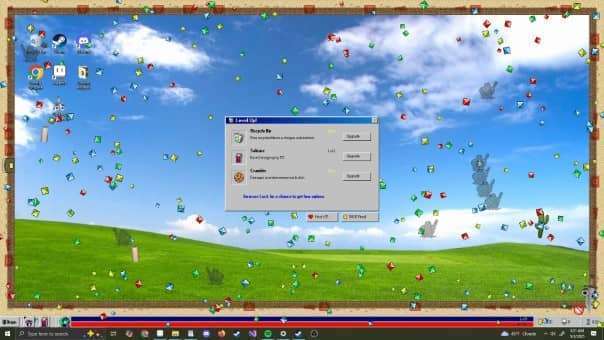
- Even the level-up screens are in the theme of the Windows 98 GUI.
- Click .exe files to choose a location.
- There is a Clippy stand-in, but he’s a sword and gives out general tips as you play.
- Controller shortcuts for actions.
- Roguelike gameplay loop with each run randomising the rooms, enemies, rewards, and level-ups.
- Gold earned is kept after a run or death and is used to buy new cursors.
- A run consists of you picking a room and then destroying everything inside it.
- Earn exp by clicking up the gems dropped by enemies. When you level up, you choose one of three upgrades.
- No upgrades transfer between games; you lose them upon death.
- To attack, you need to move your cursor around to avoid the enemy, and your cursor will fire automatically; you cannot choose where and when to shoot, stats dictate that, and you can upgrade them.
- Very addictive time waster or time destroyer, depending on how you look at it.
- The shop cat can appear and will sell items and upgrades for a price.
- You can pay for and Reroll upgrade choices.
- The game sticks to the Windows 98 theme throughout, the power-ups can be things like shooting playing cards out or having the font letters shoot enemies or spill paint around.
- Your collected power-ups in your current run show as icons in the system tray.
- Increase your luck to get more upgrade choices.
- In-game achievements pop up as system notifications.
- Unlock new menu options and new power-ups, and abilities, again a nostalgic trip.
- When you have cleared all rooms, you get a treasure chest and a staircase to the next level.
- The game just feels good to play, and it rewards your time and effort with new toys to play with.
- Levels may have trees and other things that can be broken down for gold and or gems.
- Find mini game themes on the built-in Windows 98 software, like Minesweeper and Solitaire.
- At the end of a room, any uncollected gems and coins go straight to you.
- Cursors all have unique attacks and attack types, which dramatically change up the gameplay. I mean, one can shoot cards and files out whilst another will shoot a morphing ball that moves around the screen, the twist being you need to get the enemies to follow you into the ball to damage and destroy them.
- Find cookies to replenish health.
- Different Cursors also bring different screen savers and graphical effects with them.
- I have finally found a roguelike game that gets me.
- Such a fantastic game.
Desktop Survivors 98 Review Cons
- You cannot view or edit any of the controls.
- The interface is slow, even with the speed-up button, when using the controller.
- I couldn’t find a way to turn off or change the screen saver settings.
- You cannot click on the Clippy stand-in for anything except when prompted.
- It does take some getting used to as the game moves fast.
- Certain wallpapers hide enemies or pickups.
- The controller doesn’t always work well with the menu structure, a lot of clicking Xs.
- If a lot of small things flying around fast can be too much, then this is not a game for you.
- Picking up gold and gems is a real pain until you upgrade then as you have to basically be on top of them and if you do happen to be close then they will slowly claw and crawl there low polygon count ass across to you.
- It’s not always clear what doors you have or haven’t been through.
- Entering a room with enemies is just a noise, no fanfare or notifications.
- Can destroy productivity and sense of time.
- The controller is fine, but the mouse is the best way to play.
- Doesn’t have any leaderboards support.
Related Post: Shovel Knight Dig Review – The Deeper You Go, the Better It Gets!
Desktop Survivors 98
Official Website: desktopsurvivors98.com
Developer: Brandon Hesslau
Publisher: Brandon Hesslau
Store Link:
