
DigDigDrill: Why You’ll Lose Hours To This Mining Machine
Dig Dig Drill is an indie action-simulation title developed by Toorai and published by Phoenixx Inc. You step into the shoes of a drilling machine operator with one simple, singular goal: burrow through the earth to reach floor 999. It’s a dedicated mining collectathon that tasks you with managing power and resources while carving a path through the quiet, dimly lit underground.
Specs & HUD | Gameplay Review | Performance & Fidelity | Settings & Controls
DigDigDrill Nintendo Switch 2 Review: Specs & HUD
- Developer: Toorai
- Publisher: Phoenixx Inc.
- Official Website: Phoenixx – Dig Dig Drill
- UK Store Link: Nintendo eShop UK
- Genre: Action / Simulation / Adventure
- Release Date: March 18, 2026
- Download Size: 369MB
- HUD Features: Depth chart, block health bars, drill power bar, and a full stats screen topside for play time, ores found, and drills forged.
Gameplay Review & Mechanics Breakdown
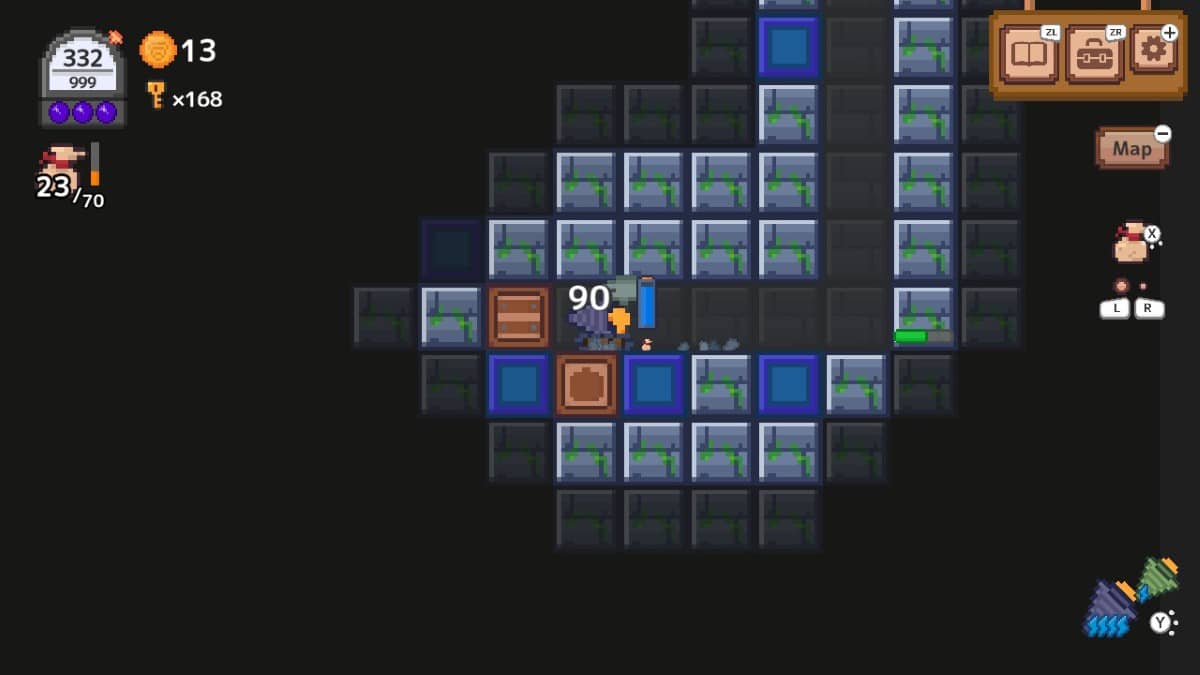
You play as an operator of a drilling machine, you go underground and dig as you like, collecting minerals, finding cash, etc., and then going topside to use the many utilities. The goal of the game is to get to level 999. Underground is dimly lit, and you emit a set area around you, but you can find and activate torches to light areas. You have a full stats screen topside where you can see play time, ores, drills forged, etc. All the drilling requires power to run, and you use up power by mining, and if you become overencumbered. You can carry on digging and collecting when you are full, but you move more slowly and use way more power. Warp pieces let you place them where you want, and they will instantly take you topside. When getting topside, your ores will go straight to the storage. Storage lets you keep items and tools in there.
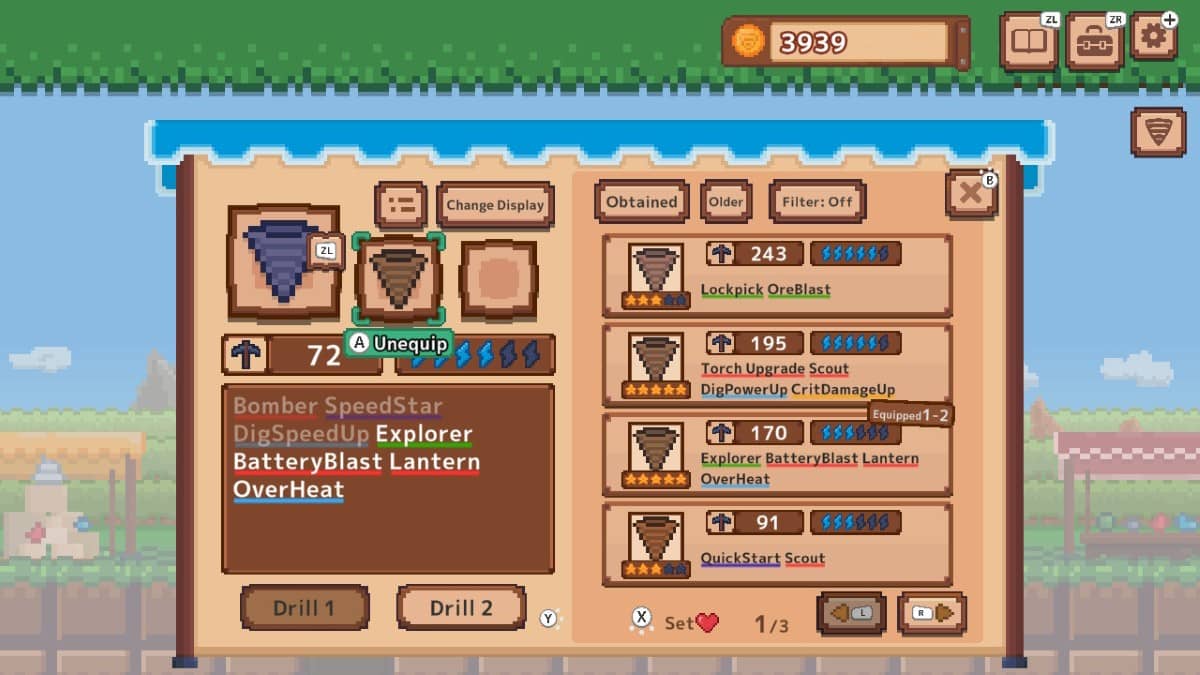
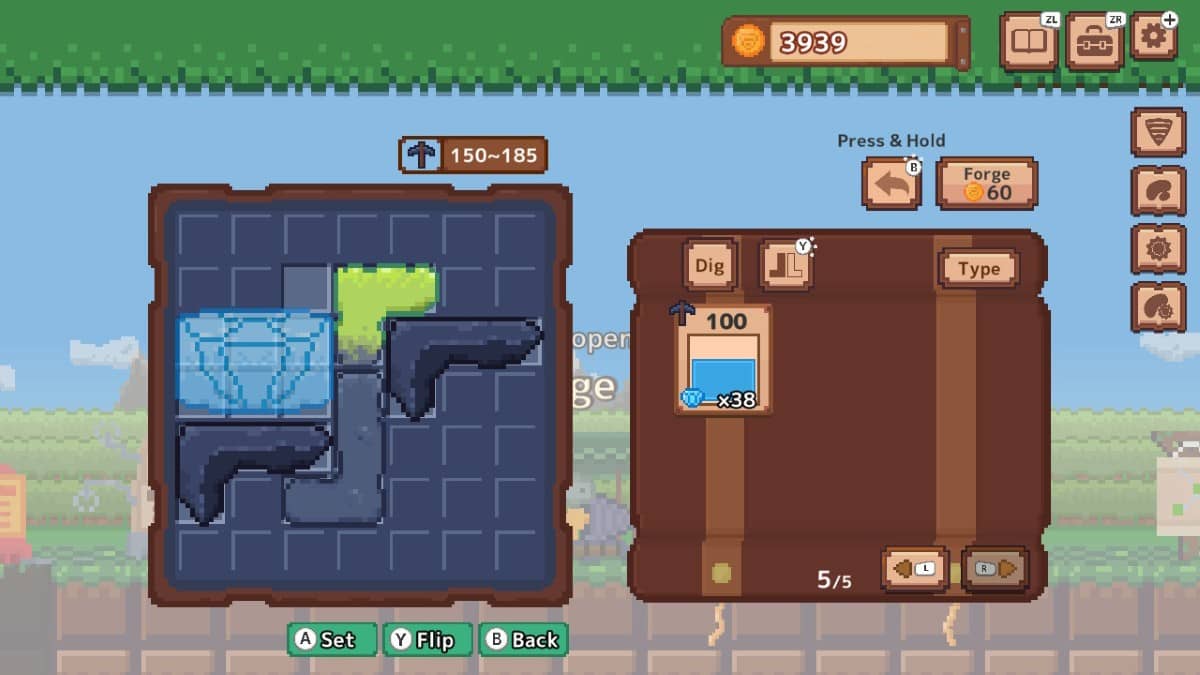
Mining management gameplay is a simple yet very addictive time sink of a game. Ores can be used for crafting or sold for gold. Spend coins on upgrading your drill slots, energy/power, and bag size. Crafting is like Tetris, ores are different shapes and sizes, and you then place them in the designated area and the more pieces you put in, the more powerful the craft. Every time you craft a new drill, there is a chance of attaching buffs and abilities to it. As you craft, you level up the forge, which unlocks better crafting and can make buffs more widely available. Enchantments can be found as you craft and add powerful buffs. You are encouraged to upgrade your forge so more enchantments can appear. Drills have a 1 to 5-star rating along with power, drill speed and power, and so many other nerdy stats.
You can see a lot of additional unlocks and new options by playing. As you have now guessed, you can, in fact, have multiple drills with you and swap between them as each drill can be unique in how it works and power consumption. Chests can be found and then opened topside for rewards. Golden chests can be found, but require a key to open. Unlock, find blueprints for new drills and each time it requires ores and gold to make. Depth matters, and as you break through the depths, you can earn bonus rewards from the depth chart topside. Bombs can be found and hit to clear a huge chunk of blocks. Unlock the map and then have the ability to lay your own marker down. I just really like that I can play and do what I want without pressure. It’s a simple, accessible game and does scratch an itch.
DigDigDrill Nintendo Switch 2 Review: Performance & Fidelity
- Visuals: Decent pixel art graphics that look sharp on the Switch 2 hardware.
- Audio: A tranquil, if repetitive, soundtrack that fits the “dig as you like” vibe.
- Technical Performance: Small 369MB footprint ensures fast loading and snappy response.
- Stability: Features an auto-save system, though a hard save option is missing.
- Feedback: Own in-game achievements are included, and they pop up when earned.
Settings, Customisation & Control Details
- Movement: You can play with the d-pad and stick for movement.
- Controller Settings: Ability to remap controls, show label, show catalogue icon, hold or toggle button, and set cursor colour.
- Dig Settings: Skip item get info, rich mining effect, show damage text, and size damage text.
- Audio Control: Individual volume sliders for BGM and sound effects.
- Catalogue: A catalogue fills in as you find and craft items, materials, and tools.
- Onboarding: Tutorial pop-ups and signs appear as you play.
- Missing Options: Not a lot of accessibility options like colourblind mode or dyslexic font.
Related Gert Lush Gaming Reviews
DigDigDrill Review
Summary
GOOD STUFF
Dig Dig Drill is a simple yet very addictive time sink that really scratches that itch for a no-pressure gameplay loop. The pixel art is decent, and the tiny download size makes it an easy grab. I really like that you can play and do what you want, from finding blueprints for new drills to upgrading your forge to unlock better enchantments. The crafting is cool because it’s like Tetris with different-shaped ores, and the depth chart gives you a real reason to push through the levels for rewards. Between the in-game achievements popping up, the deep customisation of multiple drills with nerdy stats, and the ability to set your own map markers, there is a lot to unlock and see if you just keep digging.
BAD STUFF
The onboarding is a bit of a slow burn because the game looks like you know how it plays when you actually don’t, and it takes a while for the upgrades to kick in and make things move quicker. My biggest gripe is that materials and chests are so spaced out that you spend a lot of time just empty digging. The map isn’t much help since it doesn’t show where materials are, and I’m still not always sure how the power system works. It’s also missing some basic accessibility features like a dyslexic font or colourblind mode, and having no hard save option besides the auto-save is a bit of a letdown. Plus, the constant need to empty storage for crafting can get a bit tedious.
FINAL VERDICT
It’s a simple, accessible time sink that nails the addictive “one more floor” loop without the pressure.
