
Lost Ark Review (Steam)
For this Lost Ark Review we embark on an odyssey for the Lost Ark in a vast, vibrant world: explore new lands, seek out lost treasures, and test yourself in thrilling action combat as you seek the power of the Ark in this free-to-play, action-packed RPG.

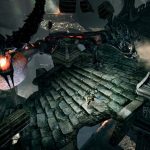
Lost Ark Review Pros:
- Beautiful graphics.
- Download size.
- Steam achievements.
- Own in-game achievements.
- Can rebind controls for both keyboard and the controller buttons.
- Controller support.
- Action RPG gameplay.
- Graphics settings are direct X 9 or Direct X 11, Resolution, screen type, force 21:9 aspect ratio, lock cursor, brightness, auto-detect graphics, graphics preset quality, texture quality, shadow quality, character quality, particle quality, anti-aliasing, better depth of field, indirect shadows, auto-optimization (performance or quality), bloom effect, distortion effect, flare effect, motion blur and Hud size. (80/90/100/105/110 percent options)
- Accessibility settings for mouse cursor (default/light blue/yellow/pink/light green), mouse cursor size, Colourblind filter, color filter intensity, and photosensitivity mode.
- Five classes – Warrior, Mage, Martial arts male, Martial arts female, Gunner male, Gunner female, and Assassin.
- Daily login bonuses.
- Character creator – presets, face, hair, eyes, skin, special, name, and voice.
- Six character slots.
- Keyboard control setting presets can be set to attack with left or right clicks and what keyboard layout you are using. (qwerty/azerty/qwertz)
- Excellent voice work.
- The advanced class allows you to choose a discipline for your character. For each choice, you can view and test out what that choice entails, and shows an optional video and stats info.
- On-screen button prompts.
- Can skip some cutscenes.
- Stunning locations.
- Minimap along with a big map that stays on screen, and can be toggled.
- Welcome challenges – an optional list of challenges to help guide new players through the game and learn what it offers.
- Plays better with a mouse and keyboard.
- Each running quest will assign a number and have that number shown on markers making it easier to manage.
- Handy locate the button for showing where your objective is.
- Discover and unlock fast travel points.
- Adventurer journal keeps track of progress across all the missions, objectives, exploration, and dungeons.
- Assign and have a pet accompany you and they have their own inventory slots.
- Full emote system for you and your pet.
- Mounts are used so you can travel faster.
- Loot list complete with loot rarity.
- Big boss encounters.
- Play how you want.
- EXP bar shows down the bottom of the screen.
- Rapport is something you can build up by doing rapport quests, building it up increases the likely hood of new quests and rewards.
- A nonstop stream of action and things to do.
- The welcome challenges really help you see everything on offer.
- You share the world with other players and you all share the enemies and interactive points.


Lost Ark Review Cons:
- Very long boot up.
- On our PC it uses a lot of CPU and locks up the pc until it boots up.
- Long wait times to join a server.
- The mouse cursor stays on the screen when using the controller.
- The controller icons are not always prominent or obvious.
- Hard to keep tabs on all the missions.
- Not always clear on your goal.
- It can spawn loading times for no reason.
- Enemies respawn either too fast or too slow.
- Can be an assault on the senses with so many people on screen and using abilities.
- Story-sensitive cutscenes can only be skipped after an initial viewing.
Related Post: Destructivator SE Review (Nintendo Switch OLED)


Lost Ark:
Developer: Smile gate Studios
Publisher: Amazon Games
Store Links –
