Quick Quest Review (Steam)
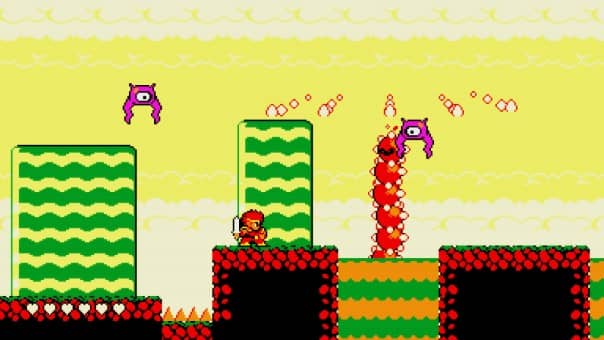
Quick Quest Review, Explore a pixelated world steeped in nostalgia with our retro roguelite game. Conquer procedurally generated levels and survive with just one life in this thrilling challenge. Master the jump, attack, and charged attack in a classic platforming view.

Quick Quest Review Pros:
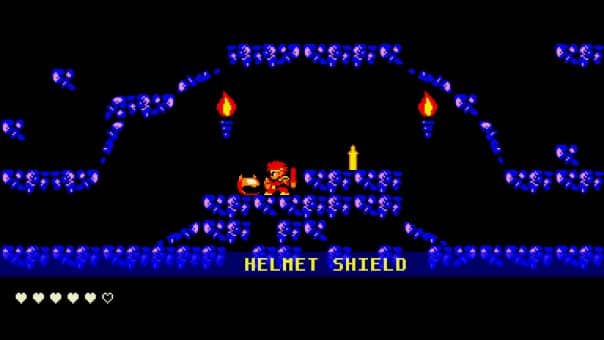
- Pixel art graphics.
- 74.53MB Download size.
- Steam achievements.
- Controller support.
- Chiptune soundtrack.
- Graphics settings – screen size, and filter (pixel/TV/Arcade).
- Action platformer gameplay.
- Can remap the controls for the keyboard.
- Tutorial sign.
- Big boss encounters.
- Short bite-sized levels.
- Run-based one-life type of game.
- After a boss fight you choose one of two rewards.
- Collect powerful sword variations.
- All boss fights are generally the same but the many ways they have made them feel different is clever.
- Your best run is shown in the main menu.
- Familiar hack and slash combat.
- You can wall slide and use it to climb up higher ledges and walls.

Quick Quest Review Cons:
- Could only get the controller to work once as the game never recognises it and looking at the Steam forum it’s quite common.
- The default controls are strange, for me it had left as right and right as left.
- Minimal graphics and game settings.
- Steam achievements make a sound but don’t pop up on the screen.
- The mouse cursor stays on the screen regardless of the control method.
- The music can repeat a lot.
- Alt-tabbing can sometimes cause the game to freeze.
Related Post: Skull And Bones Review (Uplay/PC)
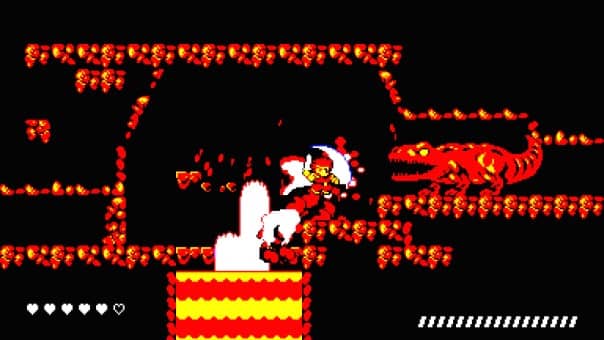

Quick Quest:
Developer: Sylph
Publisher: Sylph
Store Links –